The two records Patrimoine keeps of itself: what the money did, and what people did. Both live under Audit, one tab each.
Read the financial journal
Who can do this: Administrators
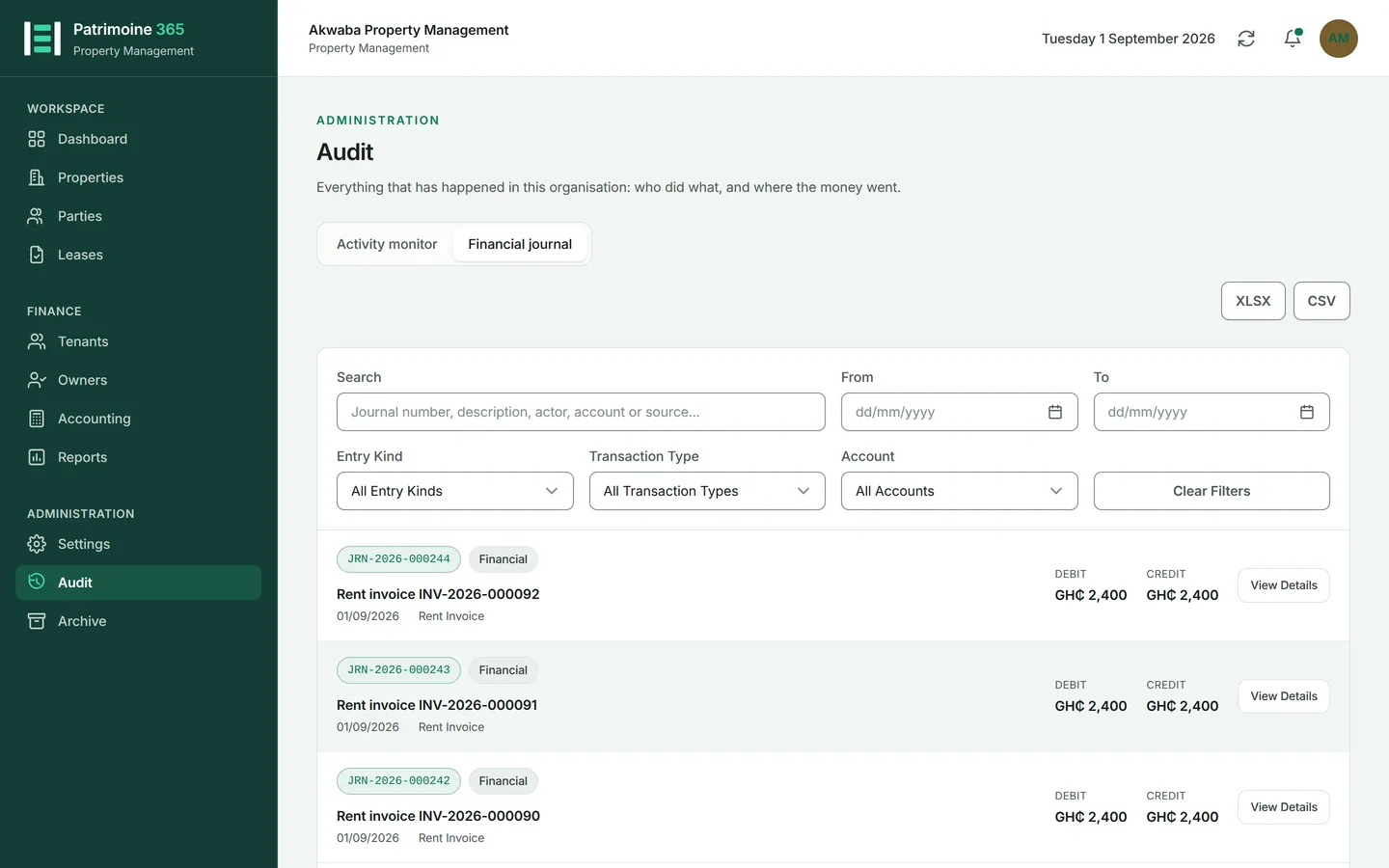
Every movement of money in Patrimoine is double-entry bookkeeping underneath. The journal is that bookkeeping, readable, with the document that caused each entry one press away.
1
Open Audit from the Administration group and press the Financial journal tab.
2
Entries run newest first, each with its own number, its date and its total.
3
Filter by date, by type of transaction, or by account.
4
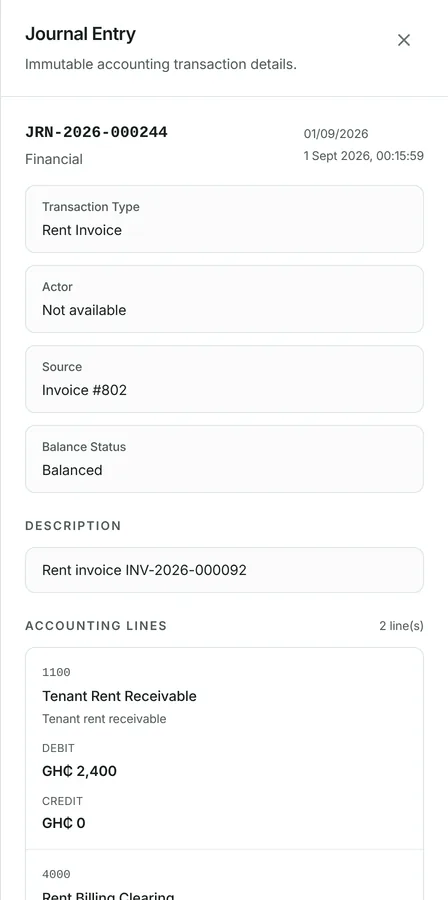
Press an entry to see its lines — what was debited, what was credited, and what document produced it.
Understand opening balances
Who can do this: Administrators
An organisation that had a life before Patrimoine starts with balances rather than from nothing. Once the opening position is set and the gate closed, it cannot be quietly moved.
1
Opening balances are imported once, at the point the organisation starts using Patrimoine.
2
They are reconciled: what was imported must agree with what the journal says.
3
After the cutover the gate is closed, and further entries have to be made as ordinary transactions.
4
The reconciliation can be re-run at any time to prove the position still balances.
Read the activity log
Who can do this: Administrators
Who did what, when, and from where. The log is append-only: nothing in it can be edited or removed, by anybody, including us.
1
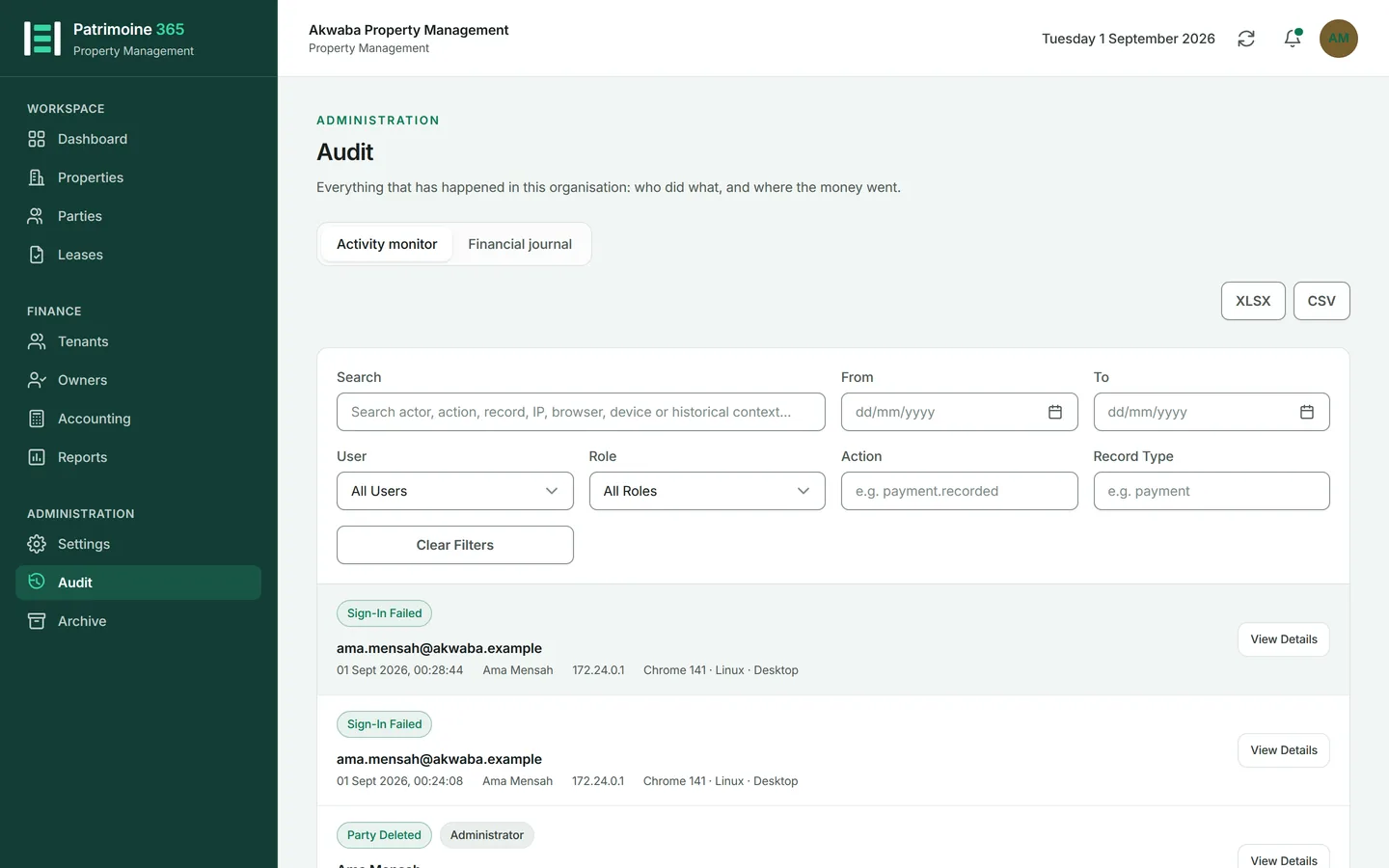
Open Audit from the Administration group. It opens on Activity monitor.
2
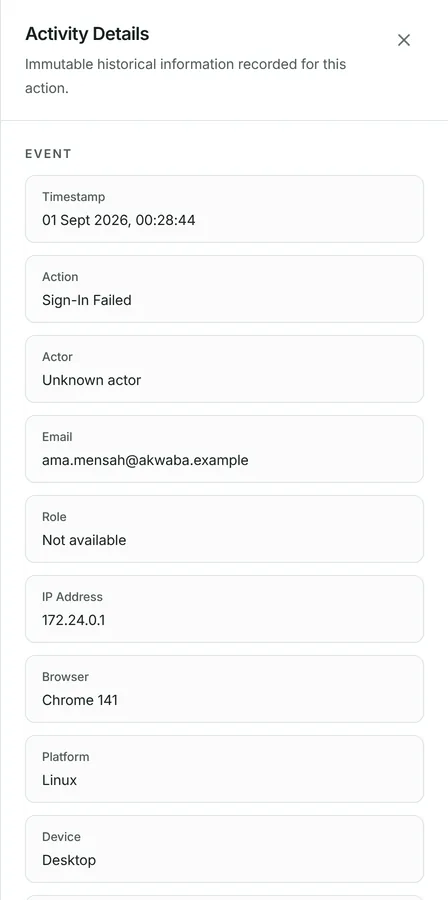
Each event records the person, the action, the record it touched, and the time.
3
It also records the address, browser and device the action came from.
4
Filter by person, by action or by date, then press an event for the whole of it.
5
Export the log as XLSX or CSV, for an auditor who wants it outside Patrimoine. There is no PDF: a log that is kept for ever grows past what a page can hold.