Buildings, who owns them, and the units inside them.
Add a property
Who can do this: Administrators and Property Managers
A property is a building. Even a single house is a building with one unit, because that is what lets it be let, invoiced and reported on like everything else.
1
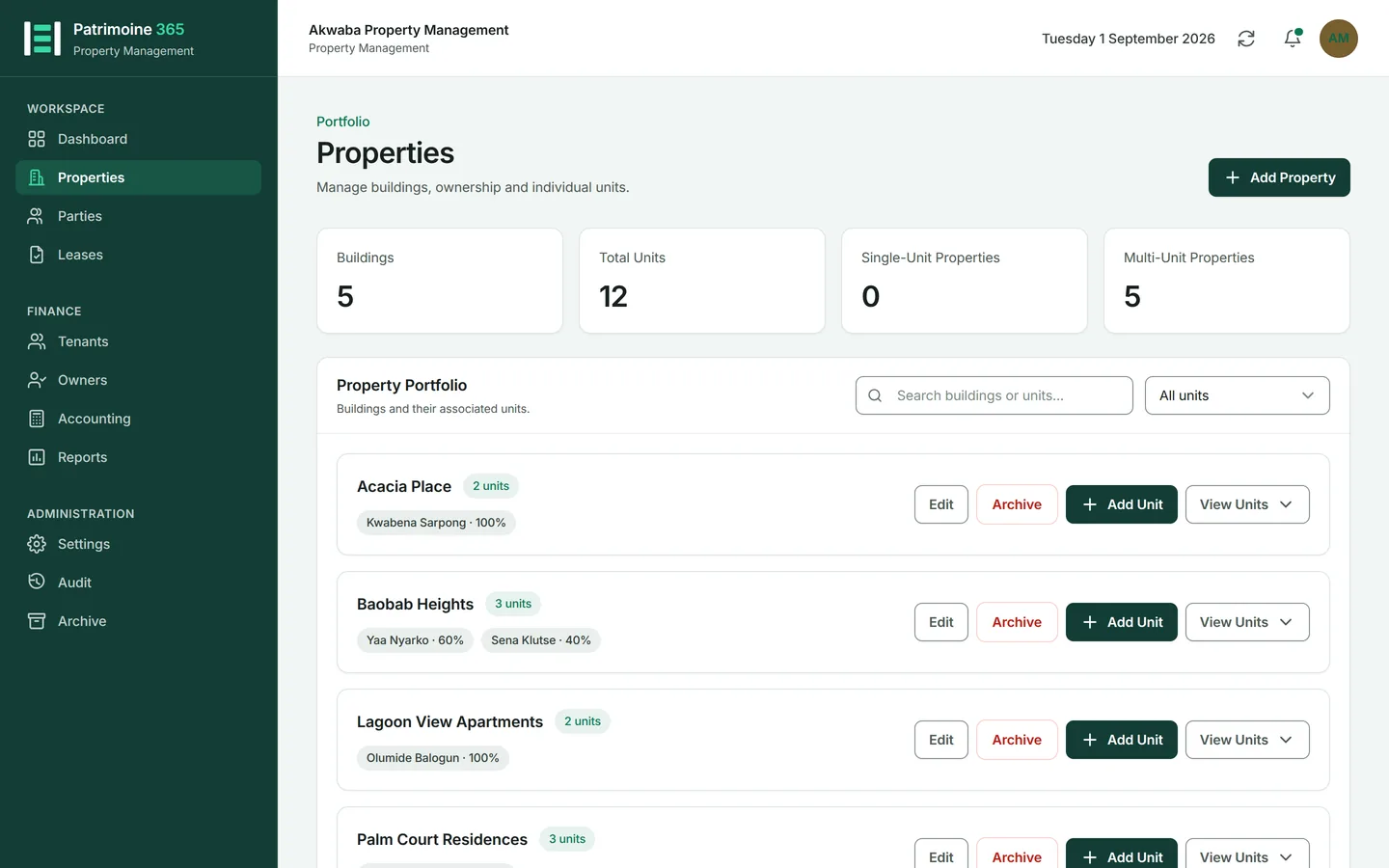
Open Properties from the sidebar and press Add Property.
2
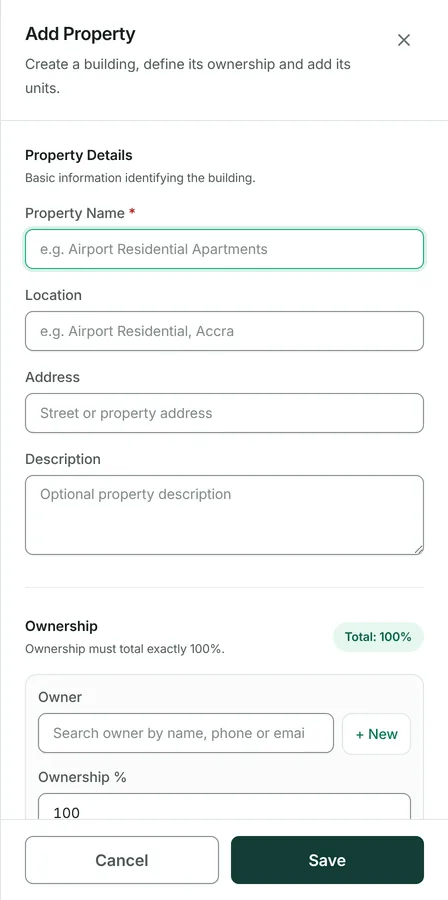
Give the building a name and an address. The name is what appears on documents, so use the name people call it by.
3
Press Save. The building appears in the portfolio with no units and no owners yet.
Then: Record who owns it next, then add its units.
Record who owns a property
Who can do this: Administrators and Property Managers
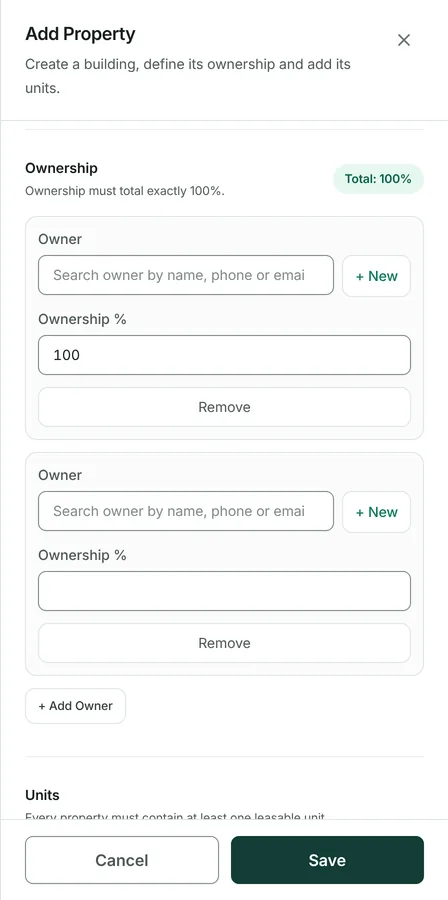
Ownership drives the whole owner side of the accounts: who is entitled to the rent, who carries the expenses, and what each statement says. Shares must total 100%.
1
On the Properties page, press Edit on the building, then open its ownership section.
2
Press Add owner and choose a party. Anybody you name here must already exist as a party with the owner role.
3
Enter that owner's percentage share.
4
Add the remaining owners until the shares total exactly 100%. Patrimoine refuses to save anything else.
5
Press Save.
Add units to a property
Who can do this: Administrators and Property Managers
A unit is what is actually let: a flat, a shop, an office, or the whole house. A lease is always against a unit, never against the building.
1
On the Properties page, press Add Unit on the building.
2
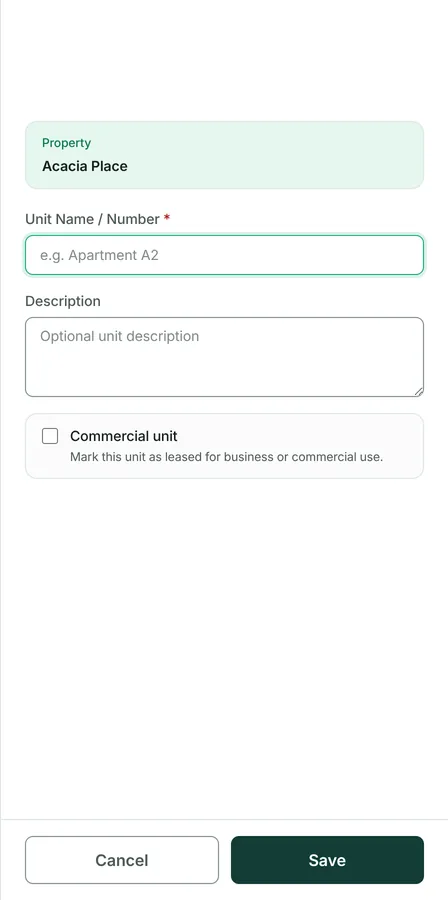
Give the unit a name or number, and a description if it helps somebody recognise it.
3
Press Save, and repeat for each unit.
4
Press View Units on the building to see them all and their current letting state.
Edit or delete a property
Who can do this: Administrators and Property Managers
Editing is unrestricted. Deleting is not: anything with financial history behind it is kept, because deleting it would leave the accounts unable to explain themselves.
1
Press Edit on the building to change its name, address or ownership.
2
Press Delete to remove it. Patrimoine tells you exactly what would go with it before anything happens. The button only says Delete while nothing refers to the property — once something does, it says Archive instead.
3
A building with units that have ever been let cannot be deleted. Nor can a unit with a lease behind it.